In-App Voice Calls API for Customer Engagement and Seamless Calling
An in-app voice calls API lets you bring real-time communication directly into your product, so users can move from chat, self-service, or workflow prompts into a live conversation without leaving the app. That shift matters because it keeps context intact, reduces drop-off, and supports more natural customer engagement across support, sales, and service.
The most effective in-app voice calls combine voice API, a client SDK, and WebRTC integration to create a calling experience that feels native to your mobile app integration or web environment. When you also add branded calling, you give customers clearer trust signals, more flexible communication options, and a smoother path from digital interaction to human assistance.
For enterprise teams, the business value is practical. Integrated voice calling within apps helps reduce fragmented communication channels, improves user experience across platforms, and makes seamless escalation from chat to voice easier to manage at scale. The result is a more connected customer experience, stronger voice connectivity, and a programmable voice foundation you can adapt as engagement needs evolve.


-
1.
-
2.
-
3.
-
4.
-
5.
-
6.
-
7.
-
8.
What is an in app voice calls API?
An in-app voice calls API gives developers a way to add voice communication directly into a mobile or web experience without building the telecom stack from the ground up. In practice, that means you can enable in-app voice calls, connect internet-based conversations to traditional phone networks when needed, and create a more consistent path from digital interaction to live support.
For product and engineering teams, the value goes beyond basic calling. A modern approach usually combines a voice API, a client SDK, and WebRTC integration so users can start or receive calls inside the app they already trust. That helps reduce fragmented communication channels, supports real-time communication, and gives you more control over branding, routing, and customer context.
Key features and functionality
A strong voice API stack supports the technical building blocks and the customer-facing details that shape the call experience.
In-app calling for app-to-app interactions lets users place and receive VoIP-based calls inside your application, which can lower friction and make integrated voice calling within apps feel native.
App-to-phone connectivity extends the experience beyond your app, so a user can start in a digital workflow and still reach someone on a mobile number or landline through PSTN connectivity.
Programmable call control gives developers direct control over how calls behave, including how to start, answer, mute, hold, transfer, route, and end them based on business logic.
Global voice connectivity helps enterprises support customers across regions through internet-based voice, optimized routing, and broad coverage. This makes it easier to connect users over data connections and support lower-latency, more consistent cross-border engagement.
Context-aware routing can direct users to the right team or workflow without forcing them through a traditional IVR. When additional guidance is needed, automated routing and self-service can still help collect intent, reduce friction, and support smoother escalation.
Call recording and transcription can support quality assurance, workflow analysis, compliance processes, and post-call documentation when used appropriately.
Text-to-speech and speech recognition help create more natural self-service experiences, especially when you need automation, multilingual support, or AI-assisted flows.
Number masking and privacy controls help protect customer and agent identities in workflows where personal numbers should stay hidden.
Branded calling features can strengthen trust by showing recognizable business identity cues at key moments in the call journey.
Common use cases
These capabilities matter most when they remove friction from an experience that already exists inside the app.
Customer service teams use programmable voice to move users from messaging, support flows, or authentication steps into live assistance without forcing them into a separate channel.
Retail, marketplaces, and gig economy platforms use embedded calling to connect customers, couriers, drivers, or service providers while keeping the interaction inside a managed environment.
Healthcare organizations can use voice workflows for appointment coordination, follow-up conversations, and virtual support experiences where timing and clarity matter.
Internal business platforms often embed voice into CRM, workforce, or service applications so employees can act on customer context without switching tools.
AI-enabled engagement models use voice API to support automation, intent capture, transcription, language support, and handoff to live agents when the interaction needs a human touch.
What many overviews miss is that voice capability on its own is not the real differentiator. The bigger win is what happens when voice is placed at the right moment in the customer journey. If a user can move from chat to voice without repeating information, or reach the right team without leaving the app, the result is not just better calling. It is a better user experience, more flexible communication options, and stronger customer engagement.
Why in-app calling changes customer engagement
When customers need help, speed and continuity matter. If they have to leave your app, search for a phone number, and repeat the issue from the start, the experience feels fragmented. In-app voice calls remove that break in the journey by letting users move into a live conversation without leaving the environment they are already using.
That shift improves customer engagement because the interaction keeps its context. A support request, purchase question, or service issue can move from chat or self-service into voice with less friction. Instead of treating voice as a separate channel, an in app voice calls API makes it part of the product experience.
How integrated voice calling within apps reduces friction
The biggest advantage of integrated voice calling within apps is that it reduces effort for the user. The app can carry over information such as account details, order context, or the step where the customer got stuck. That helps the conversation start in the right place.
This usually leads to:
fewer dropped interactions
less repetition for customers
faster handoffs to the right team (or direct access to the right team)
a stronger, more consistent user experience
It also helps internal teams. Product, support, and customer experience leaders do not have to manage voice as a disconnected workflow. They can design flexible communication options that fit naturally into the app journey.
Insight: The best in-app calling experiences feel like a continuation of the customer journey, not a switch to a different channel.
Why seamless escalation from chat to voice matters
Many issues start in chat but are easier to solve in conversation. A billing question may become sensitive. A setup issue may be too detailed to type through. A purchase decision may need quick reassurance.
That is why seamless escalation from chat to voice matters. When users can move into a call without starting over, the experience feels faster and more human. With the right voice API, client SDK, and WebRTC integration, businesses can support that transition inside the same branded environment.
In some cases, the next step may be video rather than voice alone. Because WebRTC can support both, businesses can design escalation paths that move from chat to voice or video based on the complexity of the issue, the need for visual guidance, or the level of reassurance the customer needs.
This is especially valuable when trust is a factor. Branded calling can reinforce that the call is legitimate and connected to the service the customer is already using.
In simple terms, in-app calling improves engagement because it helps people get help at the right moment, in the right place, with less effort.
Which voice API capabilities matter most?
Not every voice feature carries the same weight for an app team. If your goal is stronger customer engagement, the most important capabilities are the ones that make calling feel native, reliable, and easy to manage across channels.
The essentials usually come down to four areas: how quickly you can embed voice, how well the experience performs in real time, how much control you have over call flows, and whether the interaction feels trusted and branded to the user.
Client SDK support for mobile and web apps
A strong client SDK is one of the biggest accelerators for mobile app integration. It helps development teams add in-app voice features without building every layer of call handling, session management, and device behavior from scratch.
That matters because the SDK often shapes how fast you can launch and how polished the end experience feels. For most teams, the right SDK should make it easier to:
add calling into iOS, Android, or web apps
manage authentication and user identity
handle call states such as ringing, connected, muted, and ended
keep the experience consistent across platforms
If the SDK is difficult to work with, even a powerful platform can slow down delivery.
WebRTC integration for real-time communication
WebRTC integration is central to many modern in-app voice calls experiences because it supports browser- and app-based voice communication over the internet. It is what helps voice feel immediate inside digital experiences rather than separate from them.
For customer-facing use cases, this is especially useful when you want users to tap once and connect without leaving the app. It supports a smoother path to real-time communication, which is often where customer issues get resolved faster.
A well-designed WebRTC experience should support:
low-latency voice interactions
stable audio quality
secure session handling
smooth transitions between digital flows and live conversations
Programmable voice controls and call routing
A good programmable voice platform does more than start a call. It gives you control over what happens before, during, and after the interaction.
That includes the ability to route calls based on business logic, move users from automation to a live agent, connect app-based calls to PSTN destinations, or trigger recording, transcription, or AI-supported workflows when appropriate.
This level of control is important when you are trying to fix difficulty escalating to voice in apps or reduce complex multi-channel management. Without flexible routing and logic, voice becomes another isolated feature instead of a connected part of the customer journey.
Pro Tip: Prioritize call flow control as early as feature depth. A shorter feature list with better routing often creates a better customer experience than a longer feature list with weak orchestration.
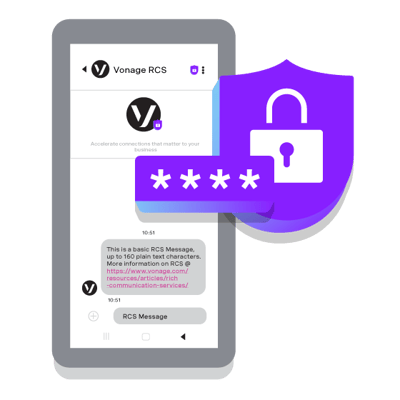 get ready to own your brand
Branded calling for trust and recognition
Branded calling is easy to underestimate, but it can have a direct impact on whether users answer, trust, and stay engaged in the interaction.
When a call clearly reflects the business a customer is already interacting with, it reduces uncertainty. That is especially important in support, account, and service scenarios where users may hesitate to answer an unfamiliar call or may question whether the interaction is legitimate.
In app-based voice experiences, that trust can be even stronger than with PSTN alone. Because the interaction happens inside the app, users are already in a branded environment with authentication, session continuity, and familiar interface cues built in. That can create a richer and more reassuring experience than a traditional phone call on its own, while branded calling still adds value when interactions extend to the PSTN.
For teams trying to solve a lack of branded calling features, this is not just a design detail. It supports trust, recognition, and a more cohesive user experience across channels. Pew Research Center reported in 2025 that 68% of U.S. adults receive scam phone calls at least weekly, which helps explain why trust signals such as branded calling and recognizable in-app voice experiences matter more than they used to.
Capability
Why It Matters
Client SDK
Speeds development and improves app-native calling experiences
WebRTC integration
Enables low-friction voice inside web and mobile environments
Programmable call control
Supports routing, escalation, automation, and workflow flexibility
Branded calling
Strengthens trust and improves recognition during voice interactions
The strongest voice APIs combine these capabilities in a way that supports both developers and customer experience teams. The technical layer needs to be flexible, but the user-facing result should feel simple. That is what turns voice from a feature into a meaningful part of the product.
How to enable in-app voice calls with a voice API
Adding voice to an app is not just a technical integration. It is a journey design decision. If your business already has an app, embedding calling can be a natural way to reduce friction, preserve context, and help users reach the right person without leaving the experience. The goal is to make calling feel like a natural next step when a user needs faster help, better clarity, or a more personal interaction.
For most teams, that means combining an in-app voice calls API, a client SDK, and WebRTC integration with the workflows already happening in the app. The strongest implementations do not bolt voice on at the end. They build it into the moments where it can reduce friction and improve customer engagement.
Map the customer journey before you build
Start with the exact moments where voice adds value. That could be a support issue that becomes too complex for chat, a checkout question that needs quick reassurance, or a service workflow where timing matters.
Ask:
where users get stuck today
when chat stops being efficient
which conversations need a human touch
what context should carry into the call
This step helps you avoid creating voice features that exist technically but do not improve the user experience.
Embed the client SDK and define call flows
Once you know where voice fits, the next step is implementation. The client SDK handles much of the app-side experience, while the voice API manages the logic behind call setup, routing, and control.
A practical rollout usually looks like this:
Add the SDK to your mobile or web app
Authenticate users and define permissions
Create the call entry points inside the app journey
Configure call behavior such as connect, mute, hold, transfer, and end
Decide what user or session context should follow the call
This is where mobile app integration matters most. A call button on its own is not enough. The experience needs to feel connected to the screen, task, or issue the user is already dealing with.
Connect voice experiences across channels
The biggest gains often come from orchestration. Voice should work with the rest of the communication flow, not outside it.
If a user starts in chat, your system should support seamless escalation from chat to voice without forcing them to repeat the issue. If a workflow starts in-app but needs to reach a phone number, the voice layer should support that transition as well. If a customer is already authenticated in your app, that context should help shape the call experience from the start.
This is also where branded calling becomes important. When voice is clearly connected to the product experience, users are more likely to trust the interaction and stay engaged.
Test quality, scale, and fallback paths
Before launch, test the experience as a real user would. That includes audio quality, handoff flow, authentication, routing accuracy, and what happens when a connection drops or a live agent is unavailable.
A strong programmable voice setup should account for:
variable network conditions
different device types
escalation to live support
fallback paths when a call cannot connect
consistency across app platforms
Pro Tip: Measure success by journey completion, not just call volume. A lower-friction experience is the real outcome you are trying to create.
When done well, building seamless in-app calling experiences is less about adding another channel and more about removing the friction between channels. That is what turns voice API into a meaningful part of the product rather than just another communications feature.
What does a seamless in-app calling experience look like?
A seamless calling experience feels native to the app, not bolted onto it. Users can start a conversation at the moment they need help, without leaving the product or repeating the issue from the beginning.
This is when an in-app voice calls API becomes valuable. With the right client SDK, WebRTC integration, and call routing, voice becomes part of the journey rather than a separate channel.
Hypothetical example for SaaS support
A user in a B2B software platform gets stuck during account setup. They begin in chat, but the issue becomes too detailed to resolve through typed messages.
Instead of sending them to a support number, the platform offers an in-app call from the same screen. The support team receives the relevant account and session context, which helps the conversation start faster and with less repetition.
Hypothetical example for mobile commerce
A customer is in checkout and has a question about delivery timing or payment verification. Rather than abandoning the purchase flow, they tap to speak with support inside the app.
Because the interaction stays in the branded environment, the experience feels more direct and more trustworthy. That can help reduce hesitation at a point where the customer is close to converting.
Hypothetical example for service operations
In a logistics or field service app, a customer or worker needs quick clarification about a delivery or appointment change. A voice option inside the platform makes it easier to resolve the issue immediately.
That approach keeps communication inside the workflow, protects privacy more effectively, and supports faster coordination when timing matters.
What these examples show
The pattern is simple. Voice works best when it appears at the right point in the journey, carries context into the conversation, and feels connected to the product experience.
When that happens, in-app voice calls do more than add another contact option. They help remove friction in moments where speed, clarity, and trust matter most.
How should you evaluate a voice API provider?
Choosing a voice platform is not just about whether it can place a call. The real question is whether it can support the experience you want to build inside your app, across the regions you serve, and at the level of reliability your users expect.
For teams focused on in-app voice calls, the best provider is usually the one that balances developer speed, real-time performance, flexible call control, and trust-building features such as branded calling. If any one of those is weak, the customer experience often feels it.
Start with the user experience you need to deliver
Before comparing vendors, define the kind of journey you want to support. Do you need app-to-app voice, app-to-phone calling, or both? Do users need to move from chat into a call without losing context? Will the experience live in a web app, mobile app, or both?
Those answers shape what matters most in a provider. A platform built for basic telephony may not be the best fit for mobile app integration, WebRTC integration, or seamless escalation workflows.
Evaluate the core capabilities that affect delivery
A short checklist can keep the evaluation grounded:
Evaluation Area
What To Look For
Client SDK
Strong support for web, iOS, and Android, with clear documentation
WebRTC integration
Stable, low-friction real-time communication inside the app
Call control
Easy routing, transfers, escalation, recording, and automation options
Voice connectivity
Reliable PSTN reach, voice quality, and global coverage
Branded calling
Features that support trust, recognition, and a cohesive experience
Security and privacy
Controls for authentication, data handling, and protected communications
Pricing model
Transparent usage-based pricing that fits your call patterns
A provider may have a long feature list, but that does not always translate into faster delivery. For app teams, the quality of the client SDK, documentation, sample code, and onboarding support often matters just as much as the API itself.
If implementation is hard, launch slows down. If the call logic is difficult to customize, the experience becomes rigid. A good programmable voice platform should give developers control without forcing them to rebuild common calling functions from scratch.
Consider implementation expertise, not just platform features
In-app calling can be more complex than it first appears, especially when the experience needs to span app-based voice, PSTN connectivity, branded calling, authentication, routing logic, and compliance requirements. That means provider expertise should be part of the evaluation, not an afterthought.
For teams that need more than APIs alone, implementation support can make a meaningful difference. Vonage offers expertise that can help organizations design, deploy, and manage in-app voice experiences, including programs focused on app-based branded calling, from strategic consultation through deployment and ongoing support.
Prioritize quality, scale, and flexibility
Voice is one of the fastest ways to expose weak infrastructure. Poor routing, latency issues, or unreliable network performance are hard for users to ignore. That is why voice connectivity and carrier-grade quality should be part of the decision from the start.
You should also consider whether the provider can support future use cases, such as AI-assisted self-service, multilingual experiences, or direct escalation from automation to a live team. The right platform should meet today’s needs without limiting tomorrow’s roadmap.
The strongest voice API provider is not simply the one with the most features. It is the one that helps you create a reliable, native, and trusted voice experience inside the product your customers already use.
How Vonage supports modern in-app voice strategies
Vonage Voice API helps teams add in-app voice calls to mobile and web experiences with support for WebRTC and PSTN connectivity. That gives businesses a practical way to keep voice inside the app journey instead of sending users to a separate phone channel, which can help reduce friction and support stronger customer engagement.
For teams that need programmable voice, client SDK support, global voice connectivity, and branded calling, Vonage offers a flexible foundation for embedded calling. It is especially relevant for organizations that want to support seamless escalation from chat to voice, connect automation with live assistance, and build voice experiences that feel more native to the product.
And if you’re interested in exploring how Vonage Voice API’s in-app voice calls and branded calling pair with messaging solutions and other personalized engagement (that will take customers from “don’t pick up” to “must pick up”) then it’s time to Own Your Brand.
Sign up now
Was this helpful? Let's continue your API journey
Don't miss our quarterly newsletter to see how Vonage Communications APIs can help you deliver exceptional customer engagement and experiences on their favorite channels.

Thanks for signing up!
Be on the lookout for our next quarterly newsletter, chock full of information that can help you transform your business.
Frequently asked questions about in-app voice calls API
Usually not. A voice API handles the underlying network connections, call setup, and related telephony functions, so your team can focus on the product experience instead of building carrier relationships or core voice infrastructure from scratch.
Yes. Many teams use a client SDK and WebRTC integration to support voice in iOS, Android, and web environments. The exact setup depends on your app architecture, authentication flow, and the type of calling experience you want to offer.
App-to-app calling typically connects users over internet-based voice inside digital experiences. App-to-phone calling extends that interaction to external mobile numbers or landlines, which is useful when a conversation needs to reach someone outside the app environment.
Voice is often the better choice when an issue is urgent, emotionally sensitive, or too detailed to resolve efficiently through typing. It can also help when a customer is close to a decision and needs quick clarification before moving forward. In addition, many consumers simply prefer voice in moments where they want faster resolution, clearer reassurance, or a more personal interaction.
Branded calling can make voice interactions feel more recognizable and legitimate by showing business identity cues during the call experience. That added clarity may help users feel more comfortable answering and continuing the conversation.
The most important factors are usability, platform support, documentation quality, and control over the in-app experience. A strong SDK should help your team manage authentication, call states, permissions, and device behavior without creating unnecessary engineering overhead.
Yes. Many voice platforms support features such as speech recognition, text-to-speech, transcription, and integrations with conversational systems. That allows teams to add self-service, intelligent routing, and other AI-supported experiences without removing the option for live assistance.